
Behind every high-performing website is an intentional process – built on insight, structure, and design excellence. Whether you’re building your brand from the ground up or reimagining your digital presence, understanding the design journey empowers smarter choices and bolder results. Here, we’ll guide you through 8 inspired steps that turn ideas into immersive, human-centered web experiences. This isn’t theory — it’s the creative process that moves brands forward.
From Strategy to Scale: How Great Websites Get Built
Start with strategy.
Define clear, measurable goals that align user needs with business outcomes.
Know your audience.
Shape design and copy around their interests, behaviors, and expectations.
Define the scope.
Lock in timeline, budget, features, and roles to keep everyone aligned.
Plan the structure.
Use sitemaps and wireframes to map flows, hierarchy, and key actions.
Prototype early.
Test clickable mockups to validate UX and collect feedback before build.
Write purposeful content.
Prioritize clarity, relevance, SEO, and real user value.
Build the site.
Implement with code or no-code; ensure accessibility and responsive behavior across devices.
Test everything.
Verify performance, responsiveness, links, forms, and page speed.
Boost visibility.
Launch with SEO foundations plus email, social, and paid campaigns.
Maintain continuously.
Fix bugs, refresh content, and iterate based on analytics and feedback.
Strategy & Goals
Start with a clear plan for how the site should look, work, and feel. Align user needs with business outcomes—that’s your north star.
Define the information architecture early: structure, navigation, and core content. Every decision starts with the user.
Set specific, trackable goals (short-term and long-term). Examples:
- Increase qualified leads by +25% in 90 days
- Improve task success rate to >85%
- Lift organic traffic by +30% in six months
- Reduce page load to <2.5s LCP
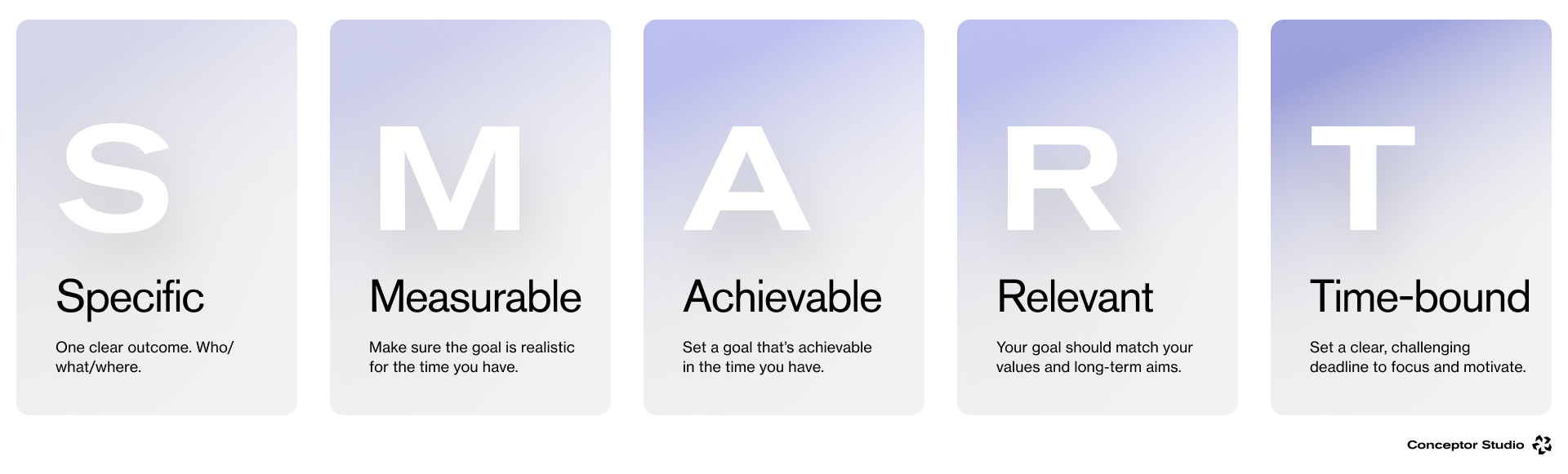
Make each goal SMART (specific, measurable, achievable, relevant, time-bound). Clear metrics keep the project focused, make success visible, and guide fast iteration when something’s off.
Go SMART on goals. Specific + Measurable + Achievable + Relevant + Time-bound = focused execution, visible success, faster pivots.
Align stakeholders early
Bring all key stakeholders into this stage. Getting agreement up front sets direction, reduces rework, and prevents confusion later.
Ask the right questions before you build
A short discovery round will shape a focused plan and ensure the site serves both user needs and business goals.
Start with these essentials:
- Audience: Who will use the site? Which segments are you targeting?
- User problems: What jobs, pains, or tasks will the site help them solve?
- Value: What benefit will visitors get every time they land on a page?
- Primary goal: What’s the site’s core purpose — inform, sell, capture leads, support, or something else?
- Competitive scan: Which sites in your space set the bar? What do they do well, and where do they fall short?
- Integrations: Do you need to connect to a CMS, CRM, database, payments, analytics, or accounting tools?
Answering these questions early streamlines design and sets you up to build a website with clear purpose—and measurable impact.
Target Audience
Knowing your audience is foundational. It shapes everything — from visual style and tone to features and flow. When you’re clear on who you’re designing for, you can tailor content, interactions, and UI to their needs and motivations. The result feels personal, useful, and engaging.
When you know who you’re serving, your content uses their words and answers what matters to them. Your navigation follows how they naturally look for things. Your features fix real problems they face. Research defines the audience and their jobs to be done. Growth comes from higher relevance and stronger engagement. Action is shipping copy, IA, and functionality that match those needs. The result is a site that feels intuitive, delivers value fast, and brings people back.
Without that focus, a site feels generic or confusing — and misses the chance to connect with the people it’s meant to serve.
Project Scope
A clear scope keeps everyone aligned and the work predictable. It defines what we’re building, why it matters, and how we’ll deliver it — especially critical on multi-team projects.
Scope should cover:
- Outcomes & KPIs: What success looks like
- Deliverables: Pages, features, integrations
- Constraints: Budget, timeline, dependencies
- Design & Content: UI needs, tone, formats, SEO
- Platforms: Devices, browsers, performance targets
- Roles & Ownership: Who decides, who delivers
A tight scope reduces ambiguity, prevents costly changes, and gives each contributor a clear lane.
Iterative by Design
Web design isn’t a straight line. Discovery, design, testing, and development often run in parallel and repeat.
- Test → Learn → Refine: User feedback drives multiple design passes before build—and after launch.
- Continuous improvement: Analytics and real-world use inform ongoing updates to content, UX, and performance.
This iterative process keeps teams responsive, reduces risk early, and ensures the website evolves with changing needs and expectations.
Step 1: Set the Mission Before the First Pixel
Before any design, define the website’s purpose and audience. What must it achieve—acquire customers, showcase work, sell, or build brand equity? Who are you serving, and what do they care about?
Ask the essentials
- What problems do visitors need solved?
- Which products/services take priority?
- What works (and fails) on the current site?
- Which competitors set the bar—and how will we differentiate?
Outcome
- A concise mission statement
- Primary audience segments and needs
- Measurable goals tied to business outcomes
When goals and audience align, every design choice becomes focused—and results improve.
Step 2: Build a Concrete Roadmap
With goals locked, organize the work. Like a blueprint for a house, your site needs a clear structure and plan.
Plan the foundation
- Information architecture: page hierarchy and navigation
- User flows: key actions (discover, compare, convert, support)
- Feature list: must-haves vs. nice-to-haves tied to goals
- Competitive scan: gaps to exploit and patterns to adopt
Outcome
- Sitemap and initial wireframe plan
- Prioritized backlog with owners and timelines
- Success metrics for each major page/flow
A solid roadmap keeps the team aligned, reduces rework, and speeds up execution.
Benchmark the landscape
Study competitors to spot strengths, gaps, and patterns. Note what resonates with your audience and where expectations aren’t met — then design to differentiate.
Keep the work on track
Use lightweight planning tools — Gantt timelines, Kanban boards, RACI ownership — to manage tasks, deadlines, and responsibilities. Staying organized reduces drift and helps teams ship on time with quality.
Step 3: Sketch the Blueprint (Wireframes → Prototype → Visuals)
Wireframe to solve structure
Start with low-fidelity, black-and-white layouts that place copy, buttons, forms, and images. The goal is flow and hierarchy, not polish — catch navigation issues early.
Prototype to validate UX
Create a clickable prototype that feels close to the real thing. Let stakeholders and test users navigate core flows before any code. Use feedback cycles to fix issues while changes are still cheap.
Design to brand
With structure proven, apply the visual system — color, typography, spacing, components. Elevate accessibility, micro-interactions, and states. The outcome: a pixel-accurate, on-brand UI ready for build.
Outputs
- Approved wireframes and user flows
- Tested interactive prototype + insights
- Final UI screens, components, and specs
Step 4: Craft Copy That Converts
Lead with purpose
Every word should answer a user question, reduce friction, or prompt action — from headlines and CTAs to product copy and FAQs.
Write for humans, optimize for search
Keep language clear and specific. Use semantic keywords, strong page titles, meta descriptions, internal links, and scannable structure (H1/H2, bullets). Optimize media and alt text.
Guide the journey
Use messaging to build trust (proof, benefits, outcomes), clarify choices (comparisons, pricing), and move users forward (next steps, CTAs). Remove fluff; keep signal high.
Outputs
- Messaging hierarchy (problem → value → proof → action)
- Page-level copy and microcopy (forms, errors, empty states)
- SEO essentials (titles, metas, schema, alt text)
Principles
- Clear over clever
- Benefits before features
- One idea per sentence
- Action verbs and concrete nouns
- Measure and iterate (scroll depth, CTR, conversion)
Great content isn’t filler — it’s the engine of conversion. Done right, it builds credibility, answers intent, and makes every page work harder.
Step 5: Bring Designs to Life (Development)
This is where mockups become real pages. Developers translate the approved UI into a fast, accessible site using HTML/CSS/JavaScript (or a no-code/low-code builder when appropriate).
What happens
- Build: Implement components, states, and interactions; connect CMS/CRM/APIs.
- Standards: Ensure accessibility (WCAG), responsive layouts, and cross-browser support.
- Performance: Optimize images, fonts, and scripts; set caching and CDN; meet Core Web Vitals targets.
- Workflow: Use version control, environments (dev/stage/prod), and CI/CD for safe releases.
Quality bar
- Pixel-accurate to design system
- Semantic markup, clean CSS, modular JS
- Fast loads, smooth animations, no layout shift
Feedback loop
- Run stakeholder reviews and internal QA.
- Fix issues in buttons, forms, modals, and micro-interactions before moving on.
Outputs
- Production-ready codebase
- Connected CMS/content models
- Staging URL for final testing
Step 6: Test, Tweak, Perfect (Full QA)
Before launch, run a comprehensive QA pass to ensure the site works everywhere and as intended.
Functional
- Links, forms, search, filters, carts, logins, error states
- 404/500 pages, redirects, and tracking events
Responsive & browsers
- Key breakpoints (mobile/tablet/desktop)
- Latest Chrome, Safari, Firefox, Edge (and iOS/Android WebView)
Performance
- Page speed and Core Web Vitals (LCP, CLS, INP)
- Media optimization, lazy loading, caching/CDN checks
Accessibility
- Keyboard navigation, focus states, contrast
- ARIA roles, alt text, semantic headings
Content & SEO
- Titles, metas, schema, Open Graph
- Canonicals, XML sitemap, robots.txt
- Analytics/consent and conversion tracking
Security & reliability
- HTTPS, headers, form spam protection, backups/rollbacks
Outputs
- QA report with fixes and owners
- Greenlight for launch (or a short punch list with dates)
Ship only when it’s smooth, fast, accessible—and measurably ready.
A final review isn’t just about fixing broken links or forms. It ensures the site feels professional: fast to load, stable under pressure, accessible to everyone, and visually consistent across devices.
What to check — and why it matters
- Functionality: forms, filters, search, carts, login/reset, 404/500 pages, redirects.
Why: one broken step destroys trust and conversion. - Performance (Core Web Vitals): LCP, CLS, INP; optimize images, fonts, and scripts; caching and CDN.
Why: speed impacts both SEO and bounce rate. - Responsive & cross-browser: key breakpoints (mobile/tablet/desktop), Chrome/Safari/Firefox/Edge, iOS/Android WebView.
Why: real users come from many devices and browsers. - Accessibility (a11y): keyboard navigation, focus states, contrast, alt text, ARIA roles, semantic HTML.
Why: expands your reach and lowers legal risk. - Content & SEO basics: H1–H3 structure, titles/meta descriptions, canonicals, schema, alt text, internal links.
Why: helps search engines understand and rank your pages. - Analytics & security: correct event tracking, consent, HTTPS/security headers, spam protection, backups/rollback.
Why: you can’t improve what you can’t measure — and you must protect users.
After fixes, the site should run clean and smooth — no jank, no dead ends, no slowdowns. Now you’re ready for the final phases.
Step 7: Refine for Search & Strategy (SEO + Marketing)
Great design won’t matter if no one finds it. Pair SEO fundamentals with a launch-ready marketing plan so the right audience arrives from day one.
SEO: what to implement
- Technical: clean URLs, robots.txt, XML sitemap, canonicals, 301 redirects (esp. on migrations), HTTPS.
- Performance: meet Core Web Vitals (e.g., mobile LCP ≤ 2.5s); optimize images (format/size), fonts (preload, font-display), scripts (defer, code-splitting).
- Mobile-first: proper viewport, comfortable touch targets, lazy loading, no horizontal scroll.
- On-page: single H1, logical H2/H3, intent-aligned keywords, meta descriptions, internal links, descriptive alt text.
- Content: pages that satisfy real search intent (FAQs, comparisons, case studies), with clear CTAs and next steps.
Marketing support for launch
- Email: teasers, launch announcement, “what’s new/how to use” series.
- Social: short demo clips, carousels, testimonials, UGC.
- Paid: targeted campaigns for priority pages/keywords; retargeting.
- PR/Partners: announcements with backlinks, guest posts, co-marketing, product directories.
- KPIs: rankings by cluster, organic sessions, SERP CTR, engagement, conversions, CPL/CAC.
Bottom line: design and marketing perform best together — visibility turns strong UX into measurable growth.
Step 8: Launch & Monitor
Launch day is both a milestone and a controlled technical process. Don’t just “flip the switch” — ensure productionbehaves as well as staging.
Pre-launch checklist
- ✅ Final QA passed; backup + rollback plan ready
- ✅ DNS/SSL configured; domains/subdomains verified
- ✅ Analytics/conversions tracking live; consent in place
- ✅ Redirects mapped; custom 404/500; uptime monitoring running
- ✅ Owners and incident contacts documented
During cutover
- Deploy to production; validate key journeys (forms, signup/login, search, cart/checkout if applicable).
- Verify performance and analytics in production (events, goals, e-commerce).
- Run a quick “smoke test” on mobile and desktop.
First 24–72 hours
- Monitor logs/alerts; quickly fix 404 spikes, broken links, performance dips.
- Watch user behavior on key pages (bounce, depth, speed, conversion).
- Announce the launch across channels; respond to feedback.
Outcome: a site that’s live, secure, fast, with clean tracking—and a team ready to handle issues quickly.
Step 9: Maintain, Update, Improve
A website is a product, not a poster. To stay useful and competitive, it needs ongoing care: fixes, content updates, UX and performance improvements.
Cadence & ownership
Weekly. Research the signals first: bug triage, error logs, and Core Web Vitals. The growth goal is to protect conversion by removing friction on high-impact screens. Action means same-day quick wins — tighten headlines, sharpen CTAs, tune offers, and polish micro-UX so the numbers move immediately.
Monthly. Research how people flow through key funnels and where they drop off. Growth comes from controlled experiments: run A/B tests on the critical steps, refresh and expand content to match real intent, and keep structured data and internal linking healthy. Action is to ship small improvements, measure the lift, and scale what works.
Quarterly. Research the strategy against reality: compare KPIs to plan and evaluate which features create value and which slow you down. Growth is focus—retire low-yield elements, back the winners, and plan capabilities that match demand. Action is to update the roadmap, reallocate resources, and evolve the design system for the next cycle.
Keep these under control
Security. Research your exposure by checking patches, third-party dependencies, and header policies; grow resilience with CSP and strict security headers; act with regular backups and real rollback drills so recovery is proven, not promised.
Accessibility. Research real usage with audits of contrast, focus states, and assistive tech; grow inclusion by tightening alt text and patterns; act by training the team so accessible choices become the default, not an afterthought.
Content & SEO. Research intent and freshness, keeping data and pricing current; grow visibility by expanding semantic coverage and strengthening internal relevance; act by pruning or updating stale pages and refining snippets and FAQs for richer results.
Performance. Research what actually slows users down—bundle size, media, blocking CSS/JS; grow speed with lazy loading and critical CSS; act by optimizing images and video until Core Web Vitals are consistently green.
Analytics. Research truth in the numbers by validating events and attribution; grow insight with clean funnel views and cohort tracking; act on findings with targeted experiments and roadmap changes that move the metrics.
Think compounding gains: steady iterations make the site faster, clearer, and more profitable over time. That’s long-term growth, not a one-off project.